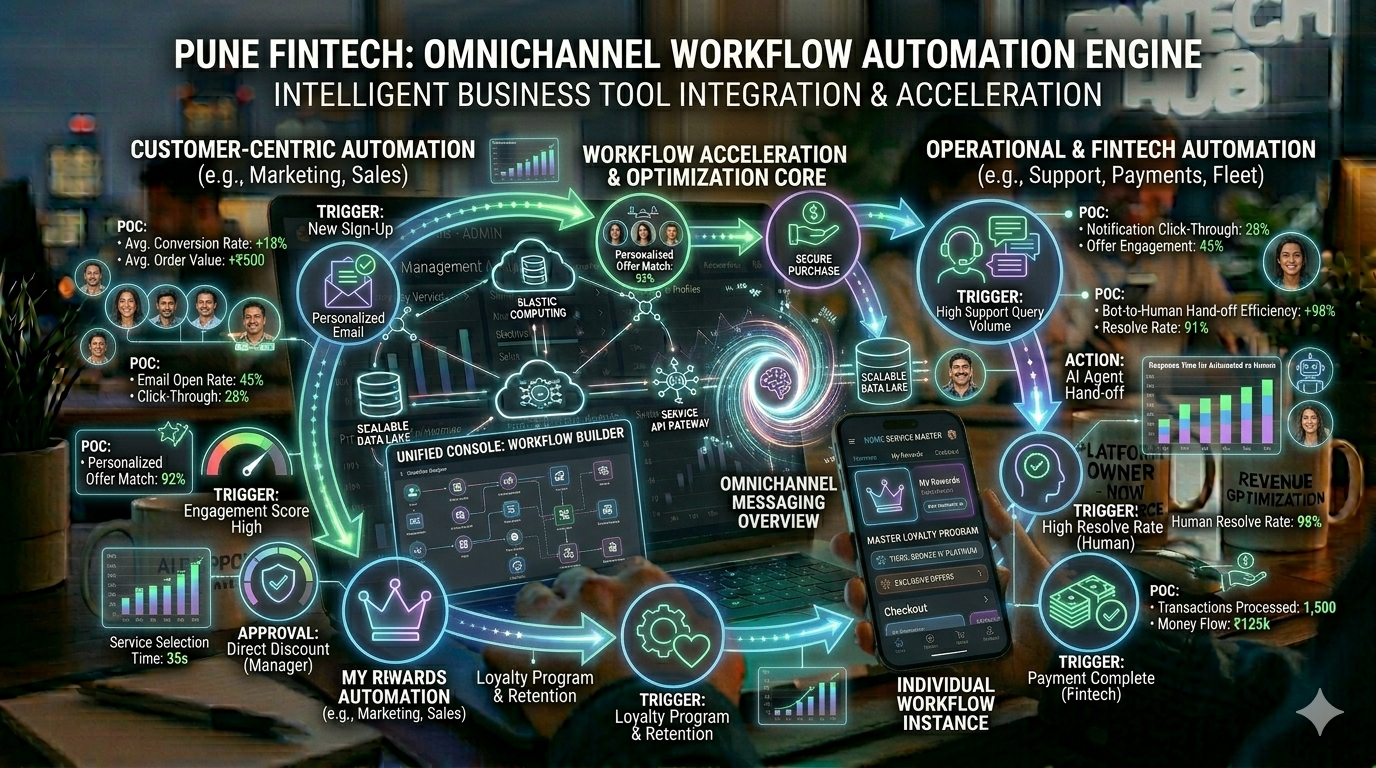
In today’s fast-paced digital environment, businesses are constantly looking for ways to streamline operations, reduce manual effort, and improve efficiency. This is where a workflow automation platform becomes a game-changer.
A workflow automation platform helps organizations automate repetitive tasks, connect different systems, and create structured processes that run with minimal human intervention. Whether it’s sending emails, updating databases, or managing approvals, automation ensures everything happens smoothly and consistently.
Let’s break down the core components that make these platforms powerful: triggers, rules, integrations, and task automation.
1. Triggers: The Starting Point of Automation
Every automated workflow begins with a trigger—an event that initiates the process.
Triggers can be:
- A user action (e.g., form submission)
- A system event (e.g., new order placed)
- A scheduled time (e.g., daily report generation)
For example, when a customer fills out a contact form on your website, that action can trigger a workflow that sends a confirmation email and notifies your sales team.
Triggers eliminate the need for manual initiation, ensuring processes start instantly and reliably.
2. Rules: Defining the Logic
Once a trigger fires, rules determine what happens next. These are the “if-this-then-that” conditions that guide the workflow.
Examples of rules:
- If the order value is above ₹10,000 → assign to senior sales rep
- If a lead is from a specific city → route to a regional team
- If a task is overdue → send a reminder
Rules add intelligence to your workflow automation platform by allowing it to make decisions based on predefined conditions.
3. Integrations: Connecting Your Tools
A major strength of any workflow automation platform is its ability to integrate with multiple systems.
Modern businesses use various tools—CRM software, email platforms, payment gateways, project management tools, and more. Integrations allow these systems to communicate seamlessly.
For example:
- A new lead in your CRM can automatically be added to your email marketing tool
- Payment confirmation can update your accounting software
- Customer support tickets can trigger alerts in your team chat tool
Without integrations, automation would remain siloed. With them, it becomes truly powerful and scalable.
4. Task Automation: Getting Work Done Automatically
At the core of every workflow automation platform is task automation—the execution of actions without human involvement.
Common automated tasks include:
- Sending emails and notifications
- Assigning tasks to team members
- Updating records in databases
- Generating reports
- Moving data between systems
Task automation reduces human error, saves time, and allows teams to focus on higher-value work instead of repetitive activities.
Benefits of Using a Workflow Automation Platform
Implementing a workflow automation platform can transform how your business operates:
✅ Increased Efficiency
Automate repetitive processes and free up valuable time.
✅ Improved Accuracy
Reduce manual errors and ensure consistent execution.
✅ Faster Turnaround
Complete tasks instantly without delays.
✅ Better Collaboration
Keep teams aligned with automated updates and notifications.
✅ Scalability
Handle growing workloads without increasing manpower.
Real-World Use Cases
Here’s how businesses across industries use workflow automation platforms:
- Sales Teams: Lead assignment, follow-ups, and CRM updates
- HR Departments: Employee onboarding and document collection
- Ecommerce: Order processing, inventory updates, and shipping notifications
- Customer Support: Ticket routing and response automation
- Finance: Invoice generation and payment tracking
These use cases highlight how automation can be applied across nearly every business function.
How to Choose the Right Workflow Automation Platform
When selecting a platform, consider the following:
- Ease of use and interface
- Integration capabilities
- Customization options
- Scalability for future growth
- Security and compliance features
The right workflow automation platform should align with your business needs while being flexible enough to evolve with you.
The Future of Workflow Automation
As technology advances, workflow automation platforms are becoming smarter with AI-driven decision-making, predictive analytics, and advanced integrations.
Businesses that adopt automation early gain a competitive advantage by operating faster, smarter, and more efficiently.
Thinking of Launching a Platform Like This?
If you’re inspired to build your own workflow automation platform or a similar digital solution, you’re not alone—many startups and businesses are exploring this space.
Turnkey Infotech helps entrepreneurs and organizations design and develop powerful digital products, including websites, ecommerce platforms, mobile apps, web portals, SaaS products, and marketplace platforms. Building something like a workflow automation platform requires the right technology architecture, scalable backend systems, and thoughtful user experience design.
Here’s what they can help you build:
- Websites
- Ecommerce platforms
- Mobile apps
- SaaS platforms
- Marketplace solutions
- Custom software
If you have an idea in mind, it’s worth exploring how it can be brought to life. You can request a free demo or book a free consultation to discuss your concept, understand the development approach, and take the first step toward building your own platform.